User Management
Easily manage user access to your Zero Desk organization. Create new users, edit their profiles, or remove them when access is no longer needed.
Creating a New User
Step-by-Step: Add a New User
- Open the Users Page:
- Click Admin in the top menu
- Select Users
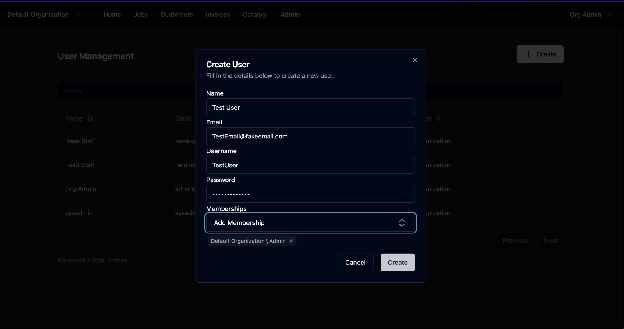
- Click “Create” to open the new user form
- Fill in user details:
- Name
- Username
- Password
- Assign to your organization under Memberships
- Click Create to finalize
Editing a User
Edit User Information
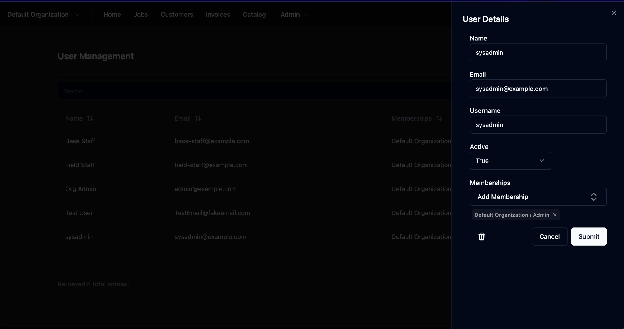
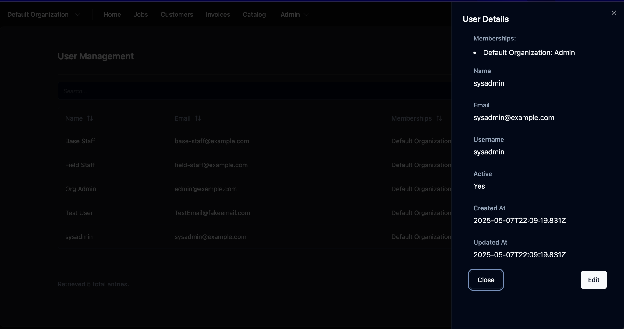
- From the Users page, click on a user’s name
- In the pop-up window, click Edit
- Update the information as needed
- Click Submit to save your changes
Deleting a User
Remove a User
- While viewing a user’s profile, click the Trashcan icon
- ⚠️ This action is permanent and cannot be undone